


 Product image for reference only


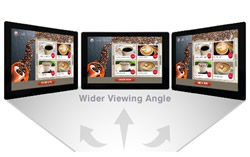
Make the most of In-Plane Switching (IPS) technology in the display panel to get faster response times, wider viewing angles, better color reproduction and sunlight visibility, and a longer lifespan.

A popular choice of the larger widescreen monitors, a 27" monitor is a great size for productivity and gaming without a significant increase in cost when compared to larger widescreen and ultrawide options.

With the fastest monitor response time of 0.5ms, you will notice a remarkable improvement in the gaming experience, including how smooth, fast, and responsive-to-control your gameplay is.

Strike the right balance between physical space and screen real estate with 16:9 aspect ratio, the most widely used across widescreen monitors.

Get the vertical viewing experience with a 90 degree pivot. Portrait mode is perfect for tasks like reading PDFs or following team conversation threads, allowing you to boost your productivity through a better visual focus in work, study, and creative environments.

Set up your monitor at the perfect viewing angle with a tiltable stand.

Take advantage of the most commonly used media output interface in modern laptops and desktops with a direct HDMI input on the monitor. No adapters needed.

Take advantage of the most commonly used media output interface in modern business grade laptops and desktops with a direct Display Port input on the monitor.
 Ask Us About MSI MAG 274QRFW X32 27" WQHD IPS Gaming Monitor 2560x1440 16:9 0.5ms 320Hz G SYNC Compatible 2xHDMI 1xDP VESA Height Adjustable Swivel Pivot Tilt 3 Year Warranty
 Price Match MSI MAG 274QRFW X32 27" WQHD IPS Gaming Monitor 2560x1440 16:9 0.5ms 320Hz G SYNC Compatible 2xHDMI 1xDP VESA Height Adjustable Swivel Pivot Tilt 3 Year Warranty
Don't have an account?
Become a Reseller »