

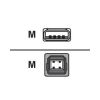
PI DATE: JULY 2007 PRODUCT: Parallel (10') Cable Cable LENGTH: 3m (10ft) * This is a 10 foot, bi-directional IEEE-1284 B to A compliant parallel Cable
Lexmark MarkNet N8372 Wireless Print Server - Front Wi-Fi - FSM - (MS62x/ MX42x/ 52x/ 62x)
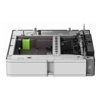
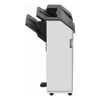
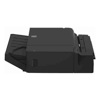
Overview This unit supports up to 100 sheets of paper (20 lb., 75 gsm) per bin of A4, A5, A6, JIS B5, Executive, Folio Letter, Legal, Oficio or Statement sizes. Only Paper (16 to 24 lb., 60 to 90 gsm) may be used with this unit. ...
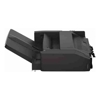
Overview This unit supports up to 500 sheets of paper (20 lb., 75 gsm). Envelopes, transparencies, card stock and labels are also supported with this unit. Specifications ...
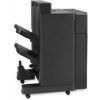
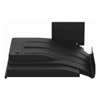
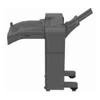
This output option provides a second output destination of up to 250 sheets expanding total output capacity to 500 sheets.Compatible with CX944adxse CS943de XC9455 CX942adse CX943adtse CX943adxse
The envelope tray designed specifically to handle envelopes supports up to 50 envelopes.Compatible with CX944adxse CS943de XC9455 CX942adse CX943adtse CX943adxse
PI DATE : Feb 2009 PRODUCT: RS-232C Serial Interface Card FOR USE WITH : Lexmark printers that contain an open slot * The RS-232C Serial Interface Card installs into the printer's int port * It supports a standard RS-232C interface...
Lexmark MarkNet N8370 Wireless Print Server - Rear Wi-Fi - (MS52x/ 62x)
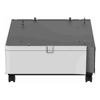
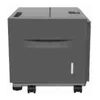
Lexmark CASTER Cabinet to Suit CS923DE CX921DE CX922DE CX923DTE CX923DTE CX923DXE
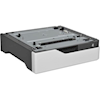
Lexmark 250-Sheet Tray (MX/ MS42x, MX/ MS52x, MX/ MS62x)
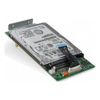
Overview These key functions are enabled when an optional Hard disk is installed:Job Building, Printer lockout, storage used by Application Solutions such as FormsMerge Job Buffering (print spooling), email spooling, font and macro...
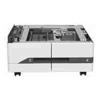
This input option includes 2 trays that each support up to 1000 sheets of 75 gsm paper for a total of 2000 sheets of additional input.Compatible with CX944adxse CS943de XC9455 CX942adse CX943adtse CX943adxse
Overview Adjustable Printer Stand Specifications Brand Name: LexmarkColour: BlackProduct Type: Printer Stand
Place the internal hard disk from the MFP or printer into the enclosure; and then attach the enclosure with the hard disk to the MFP or printer using the USB cable. The hard disk may now be easily removed from the MFP or printer for secure storage...
Don't have an account?
Become a Reseller »